 10 3
10 3


Traces is our Gran Turismo 7 telemetry app for Windows and macOS. It compares your lap with a faster one metre by metre, shows you what to fix first, and puts your data on stream. It's included in EDGE Premium.
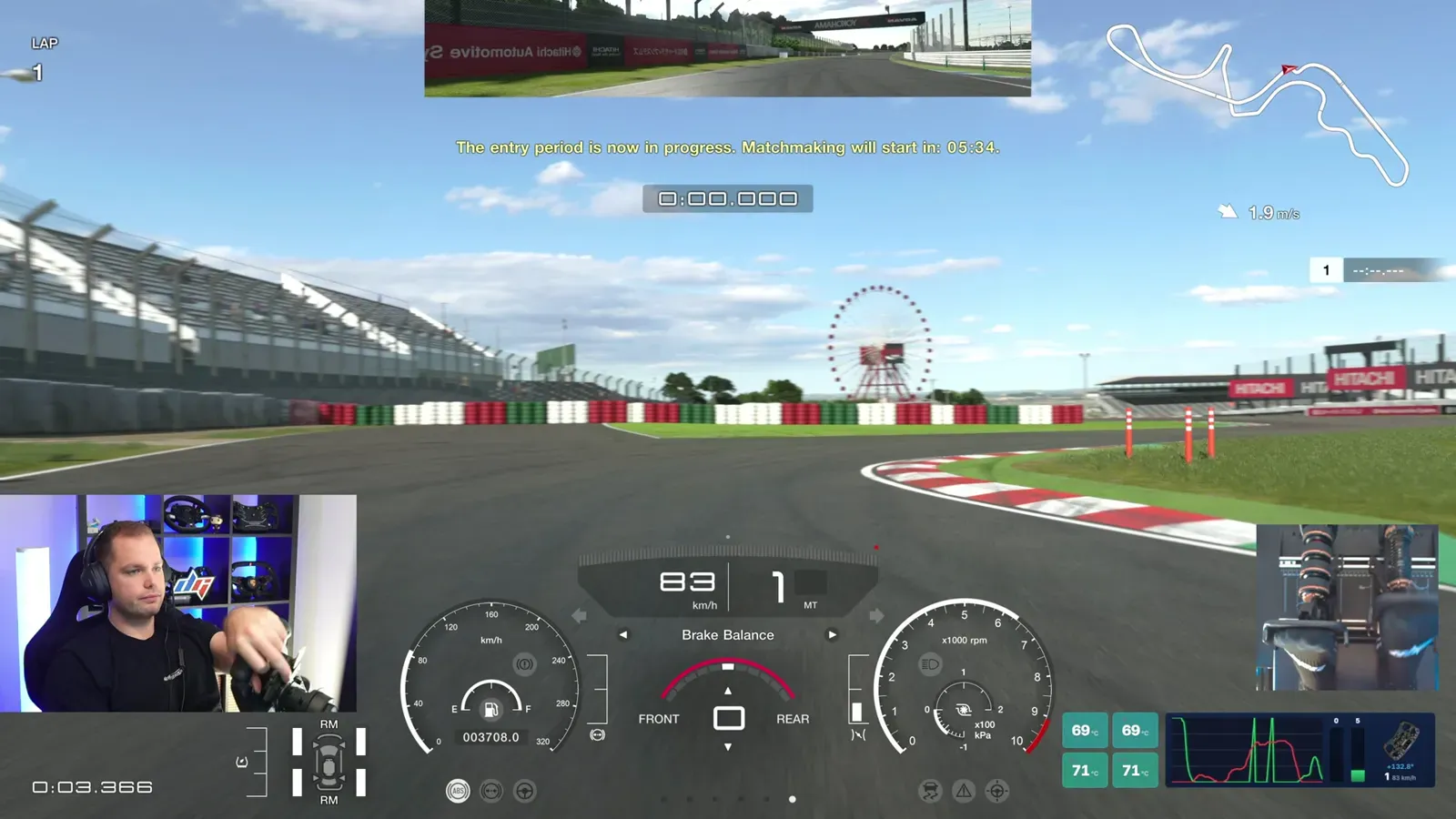
While you drive, Gran Turismo 7 sends out what your car is doing sixty times a second: speed, throttle, brake, steering, gear, RPM, tyre temperatures, fuel and your position on the track. Traces picks that up on your computer, draws it live and saves every lap you complete. Nothing is installed on the PlayStation and nothing about the game changes. Traces only reads.
The point isn't to bury you in graphs. It's to answer the question every GT7 driver asks after a slow lap: where did the time go? Most drivers guess. Traces shows you the corner, the input and the size of the gap, so your next run is spent fixing one thing instead of trying to be faster everywhere.
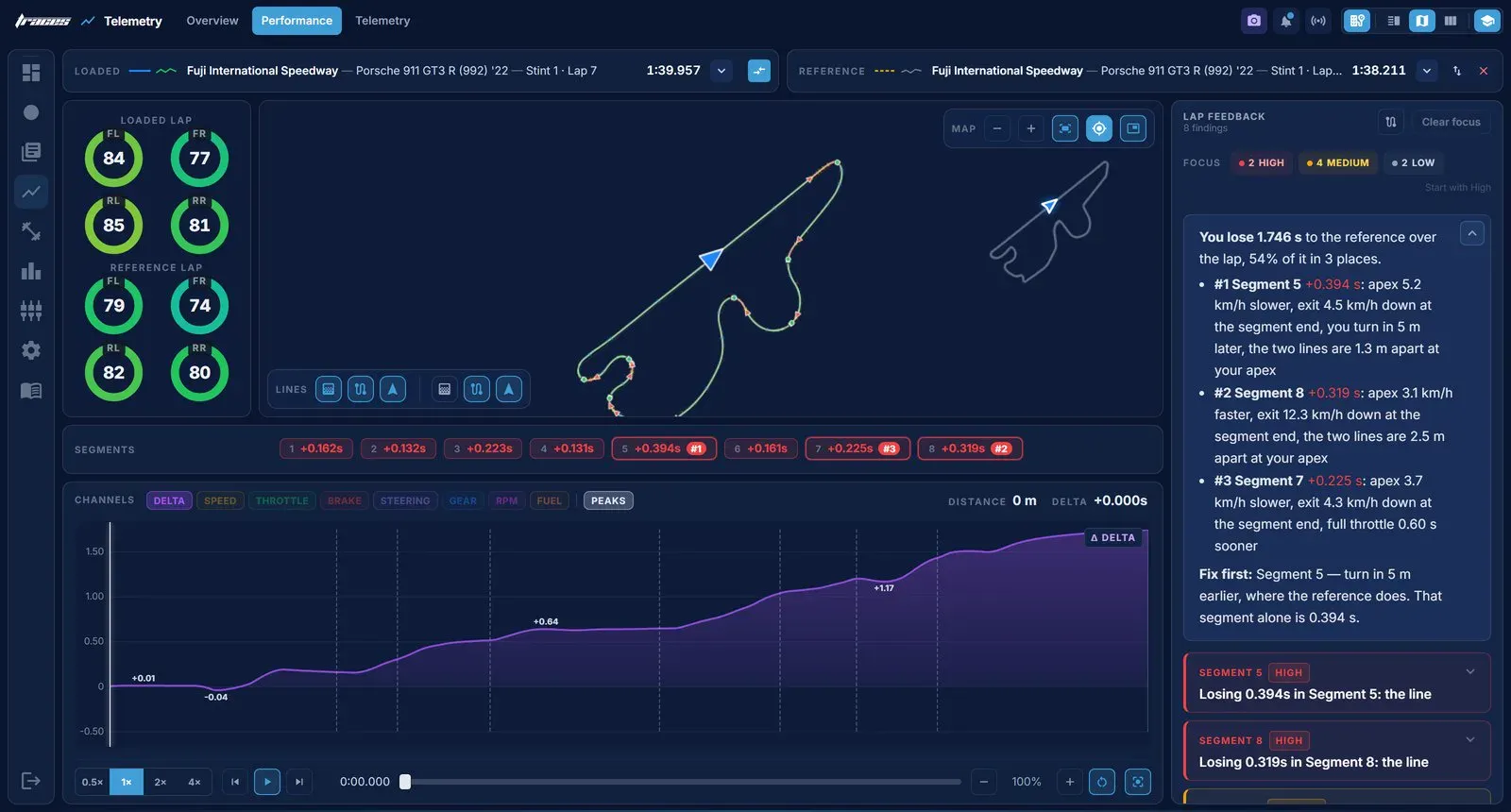
Pick any lap as your reference: your own best, a friend's, or a faster driver's from the leaderboard. Traces draws a live time delta between the two. The line dips when you gain and climbs when you lose, so the corner that costs you the most is obvious at a glance. Speed peaks and valleys are called out, and across your five fastest laps a consistency graph shows the corner where you're least repeatable.
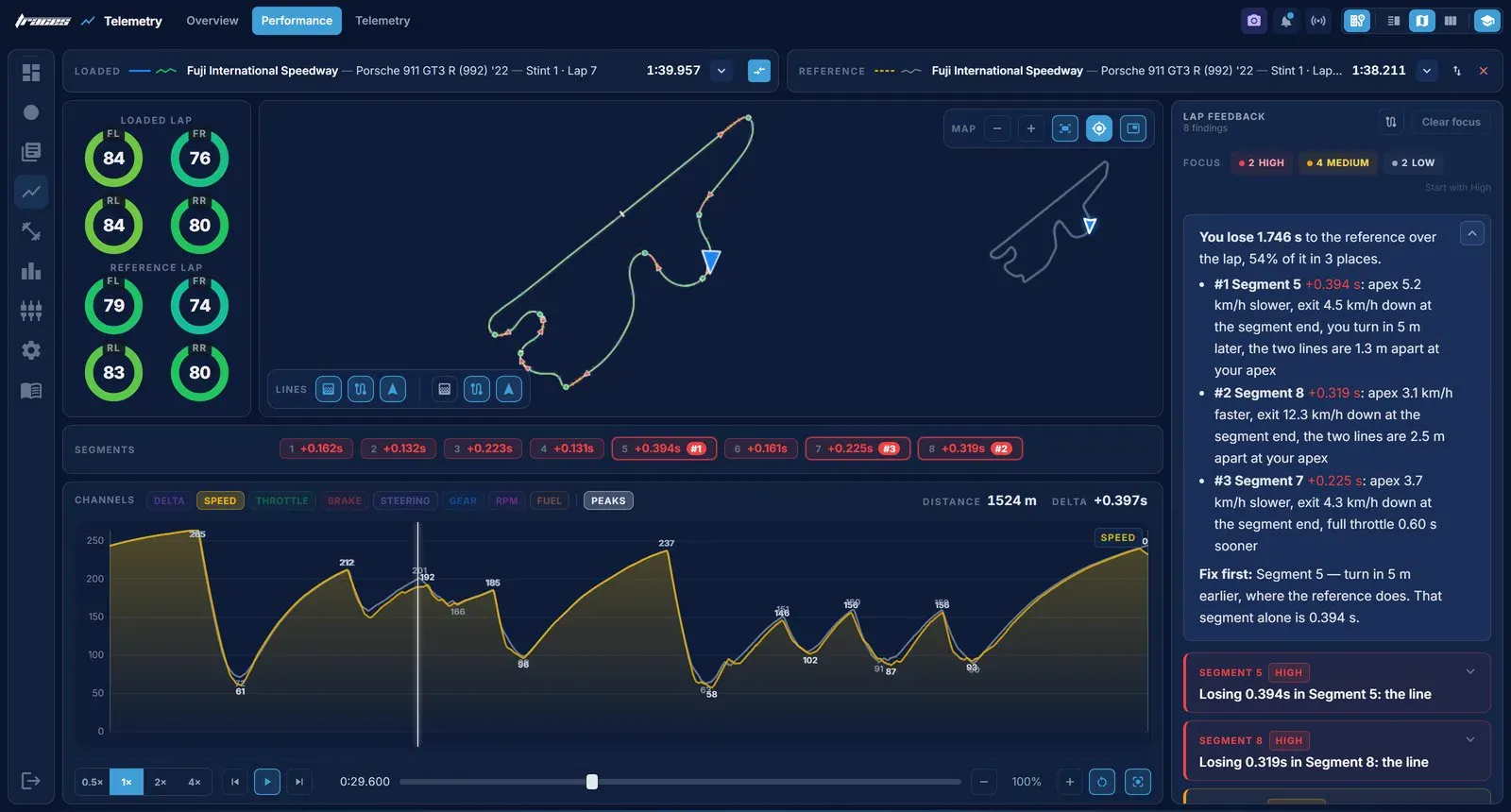
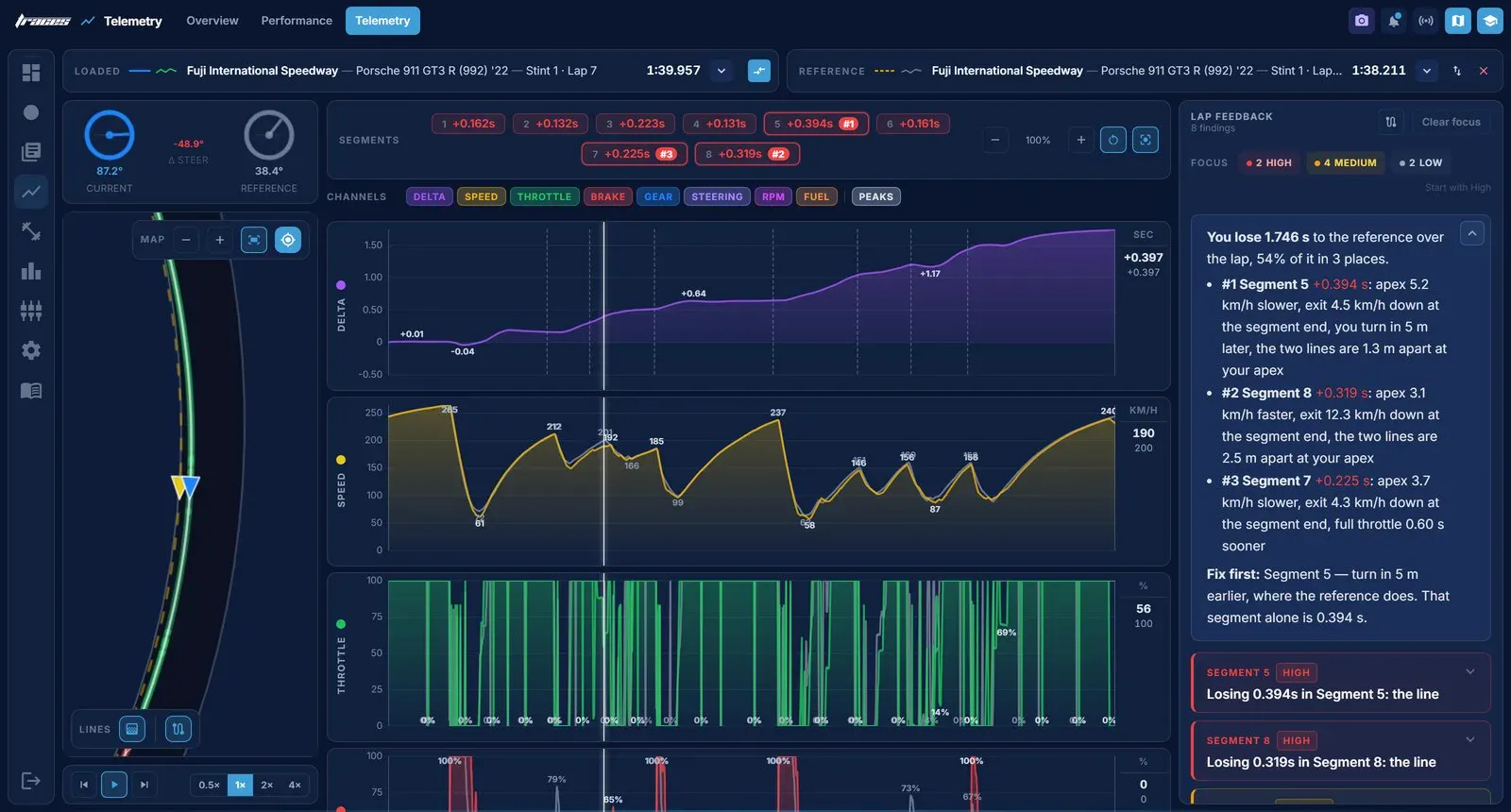
The race line view draws both laps over the same track outline, with the time gained or lost in each segment along the way. Zoom into any corner and walk through it metre by metre to see exactly where your line and speed split from the reference. Then layer your speed, throttle, brake and gear traces over the reference lap. Wherever your trace drops below the reference is where you're losing time, and that's the input to fix on your next run.
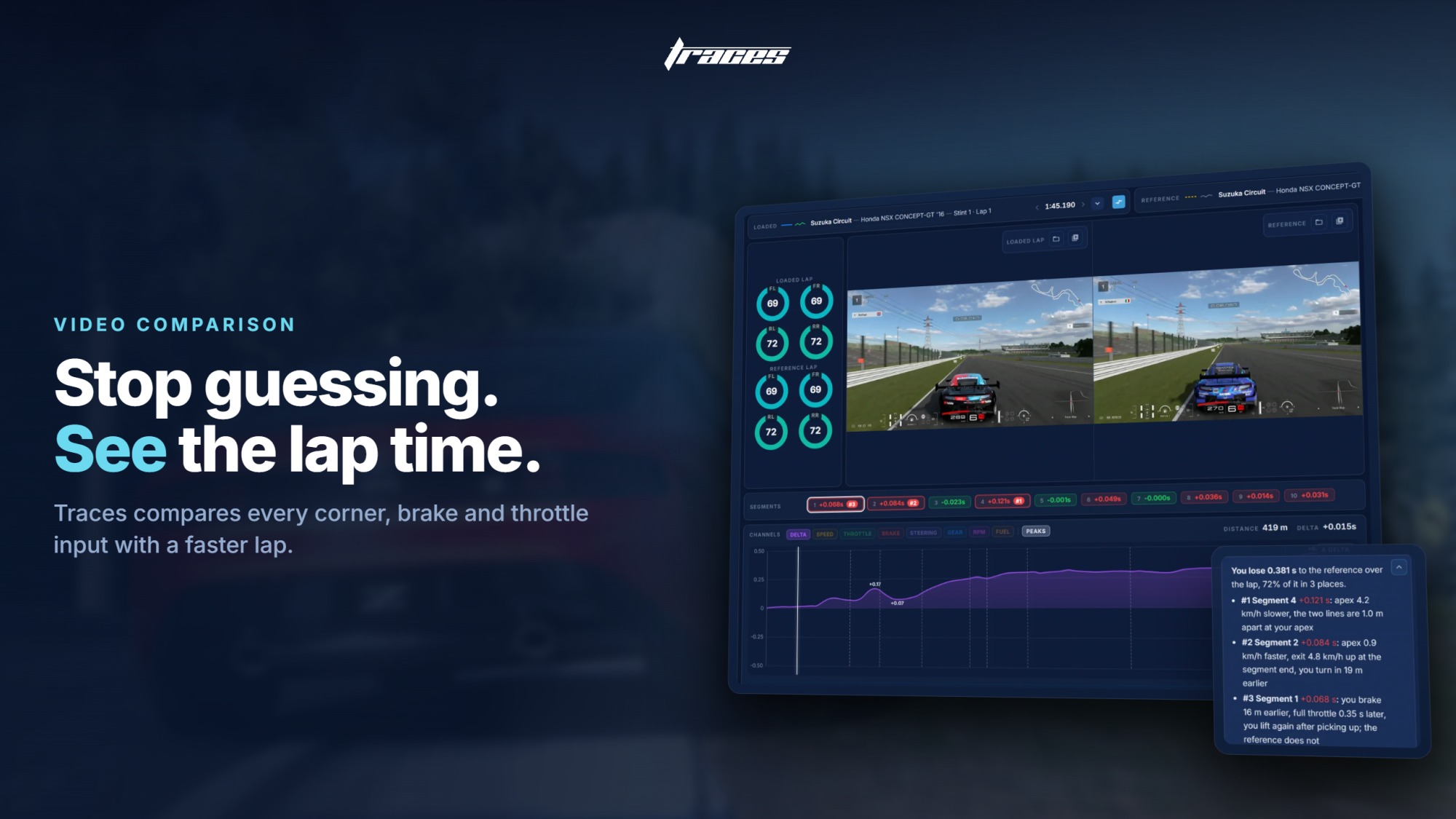
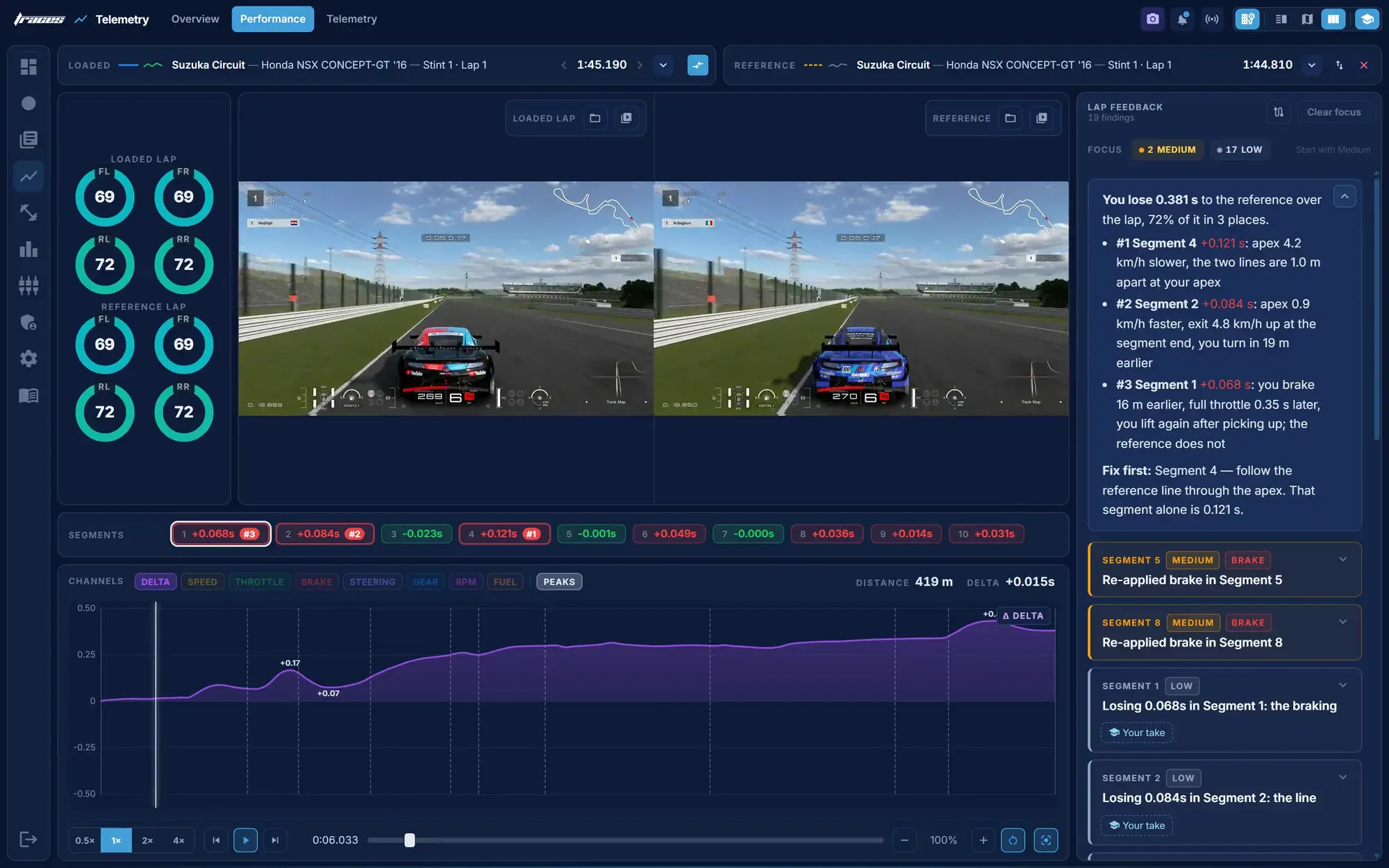
Record a replay in the app, or link a video you already have to its lap, and Traces plays your lap next to a faster one. Both videos are matched by distance, not by time, so both cars are always at the same metre of track. The time delta, speed and pedal inputs for both laps sit underneath, and the lap feedback tells you where you lose the most and what to change first. Watching a faster driver brake later at exactly the same point on the track teaches you more than any graph.
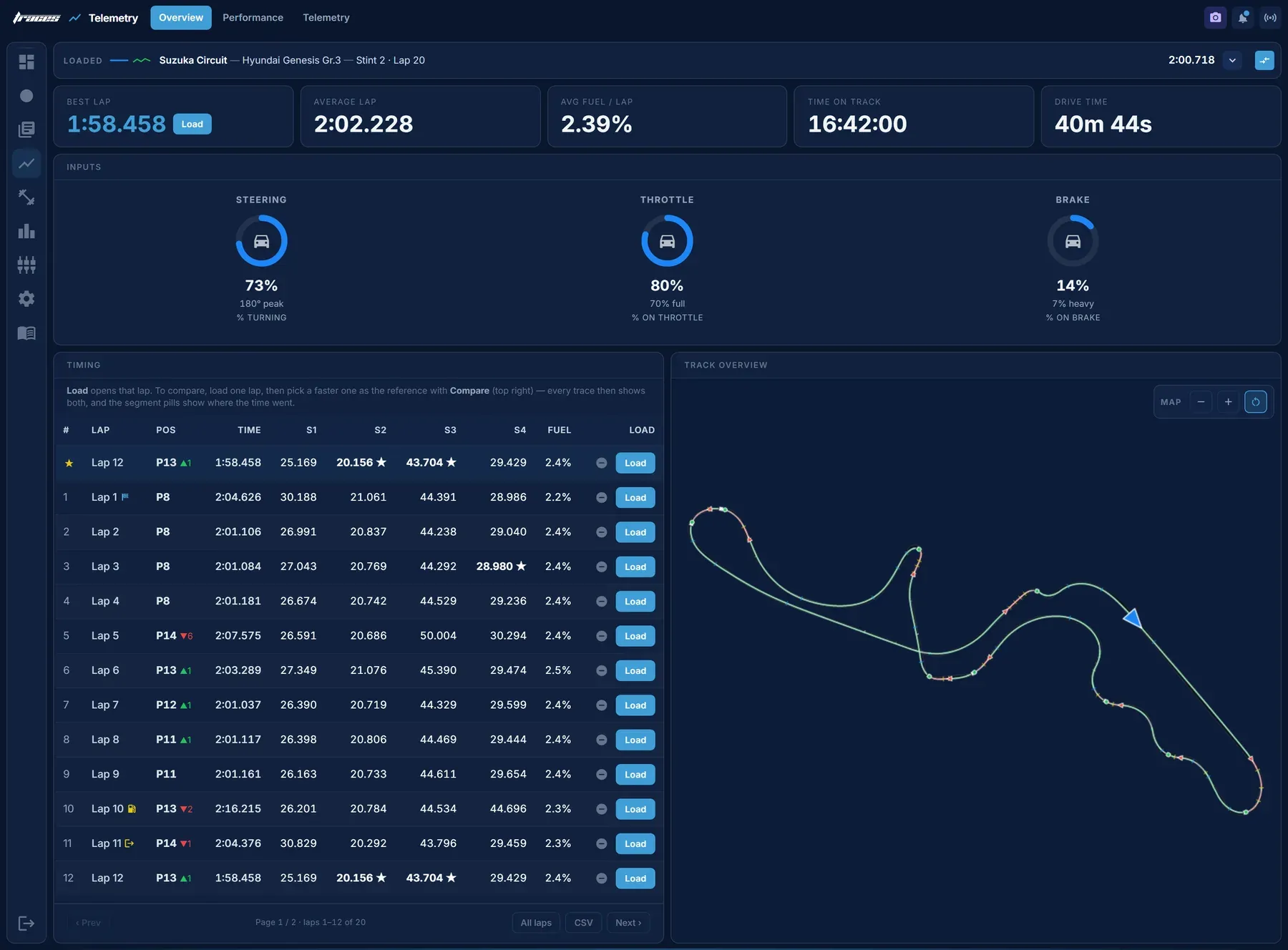
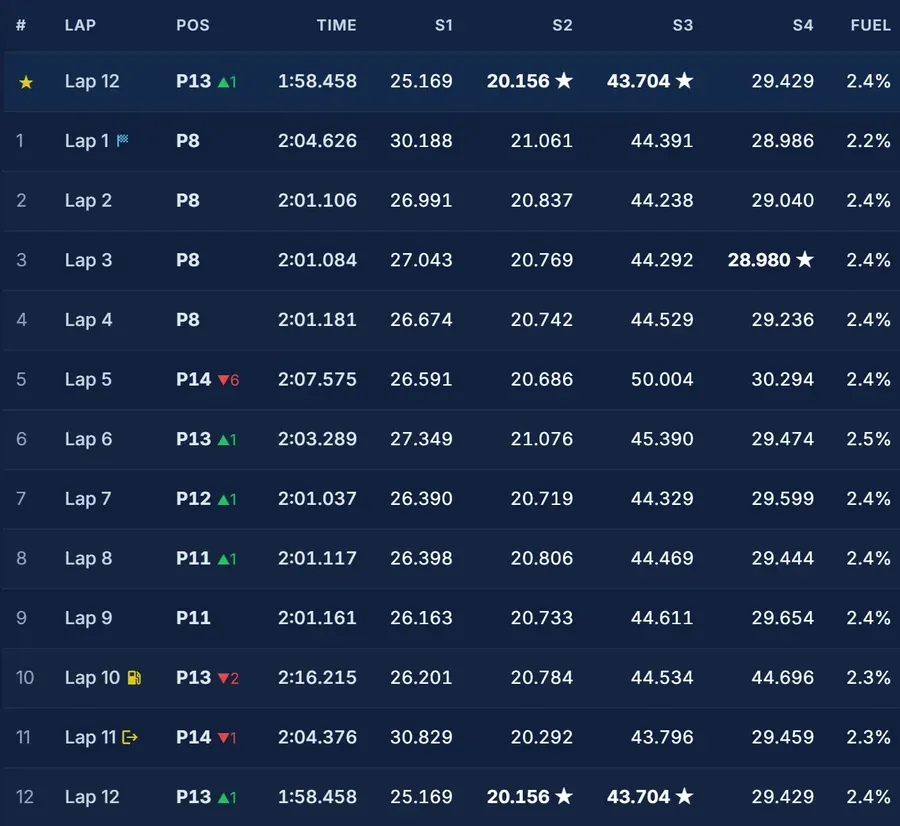
After a session, the overview puts the whole race on one screen. You get your position every lap with places gained and lost, sector splits with your session bests starred, fuel used per lap, your start, pit and out laps, how much of each lap you spent turning, braking and on the throttle, and a track map of the line you drove. It's all exportable to CSV if you want it in a spreadsheet.
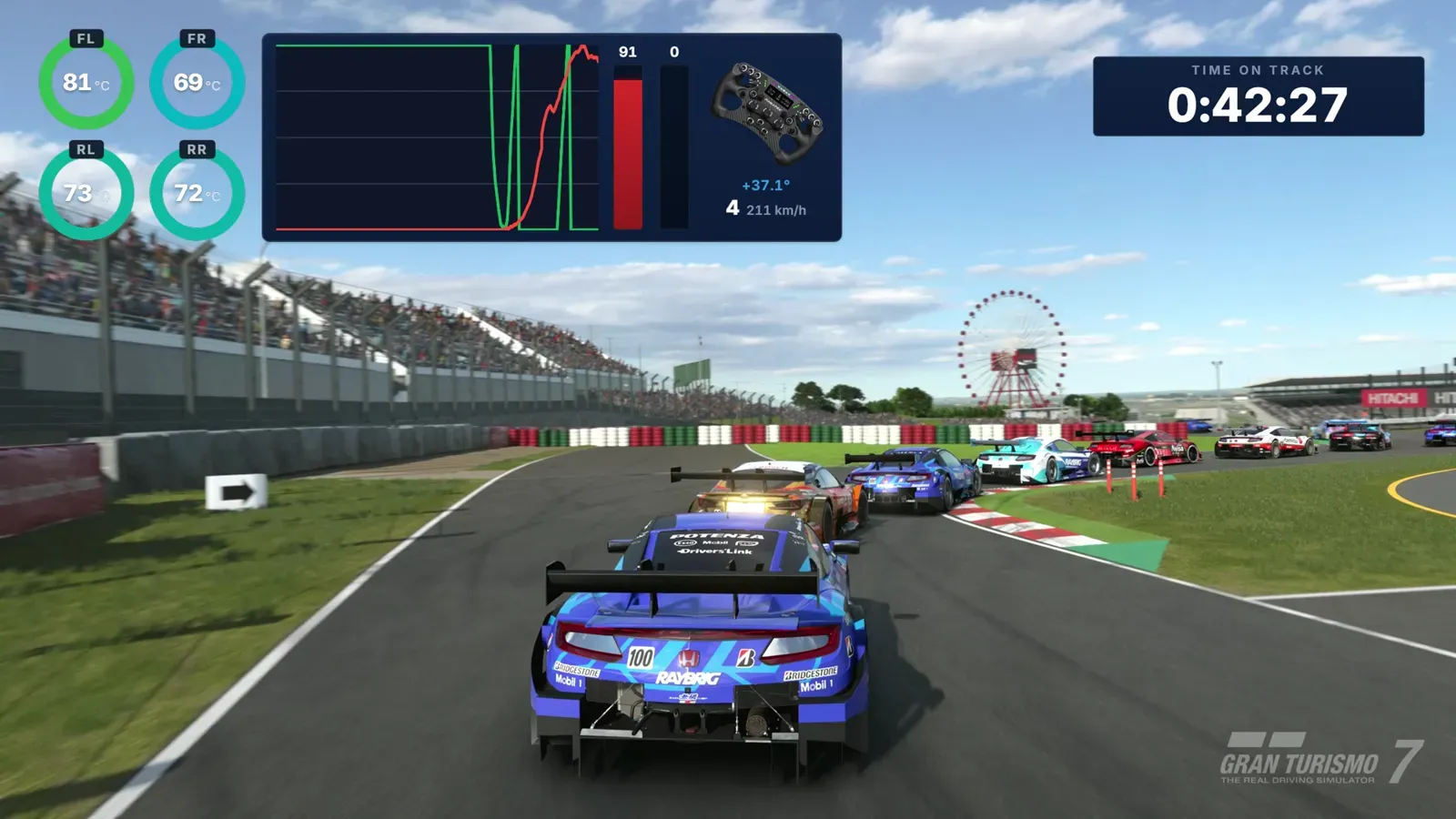
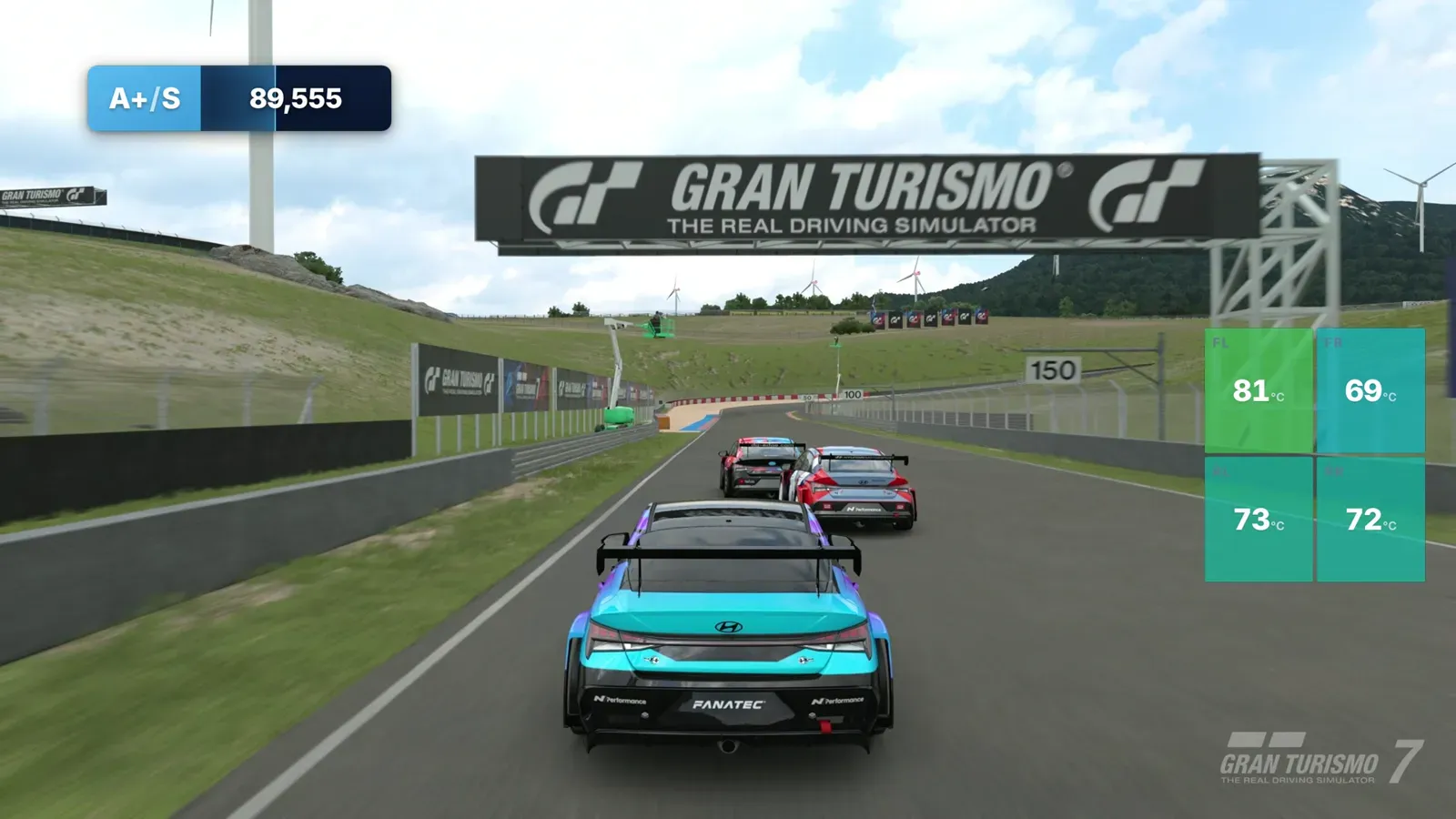
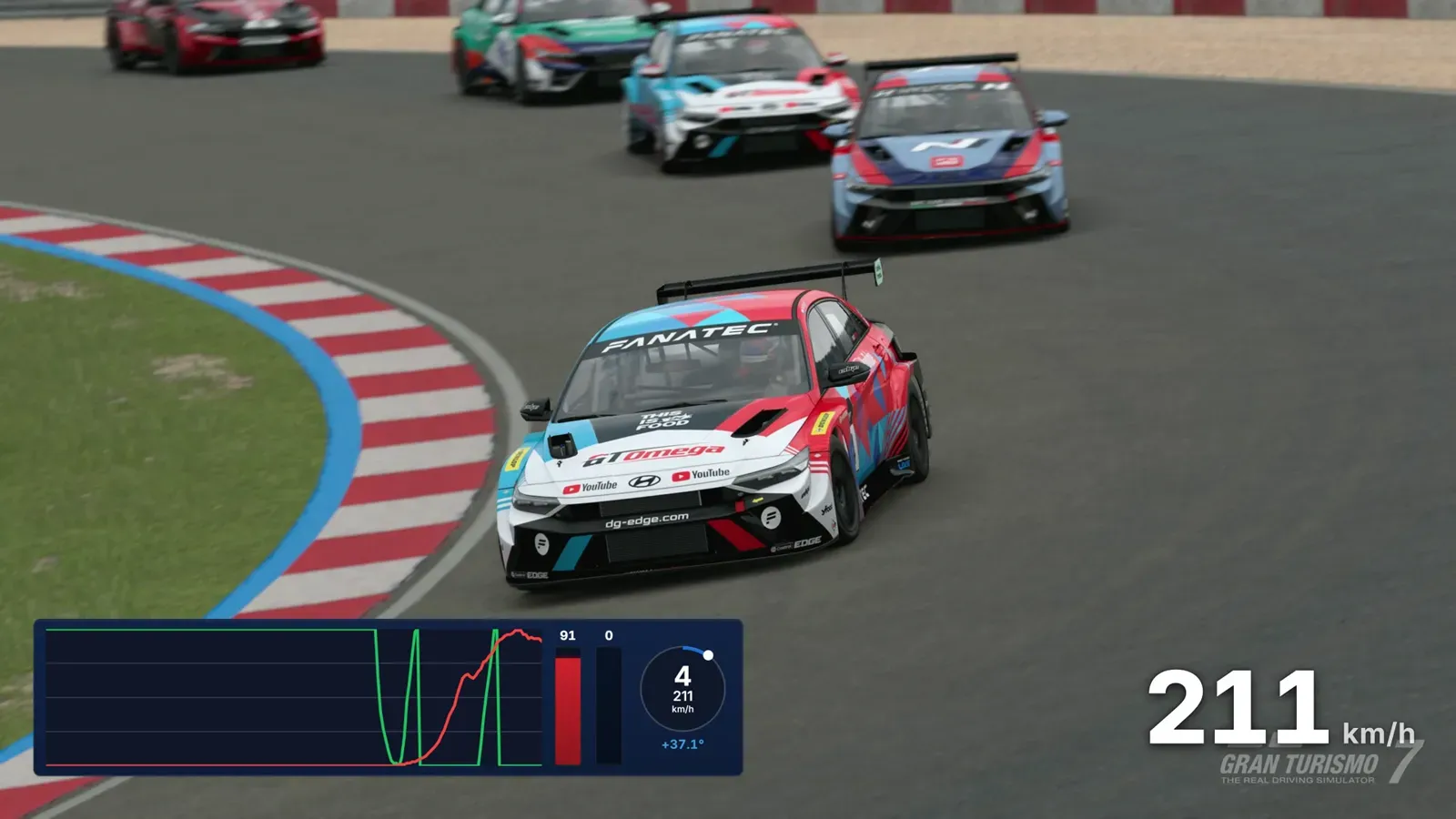
If you stream, Traces gives you transparent browser-source overlays for OBS. There's a telemetry card with throttle and brake traces, the steering wheel and all four tyres, an inputs and speed overlay, live tyre temperatures and your driver rating. Every overlay is just a URL: paste it into a browser source, size it once, and it updates live while you drive. The overlay editor lets you build your own layout from the blocks you want.
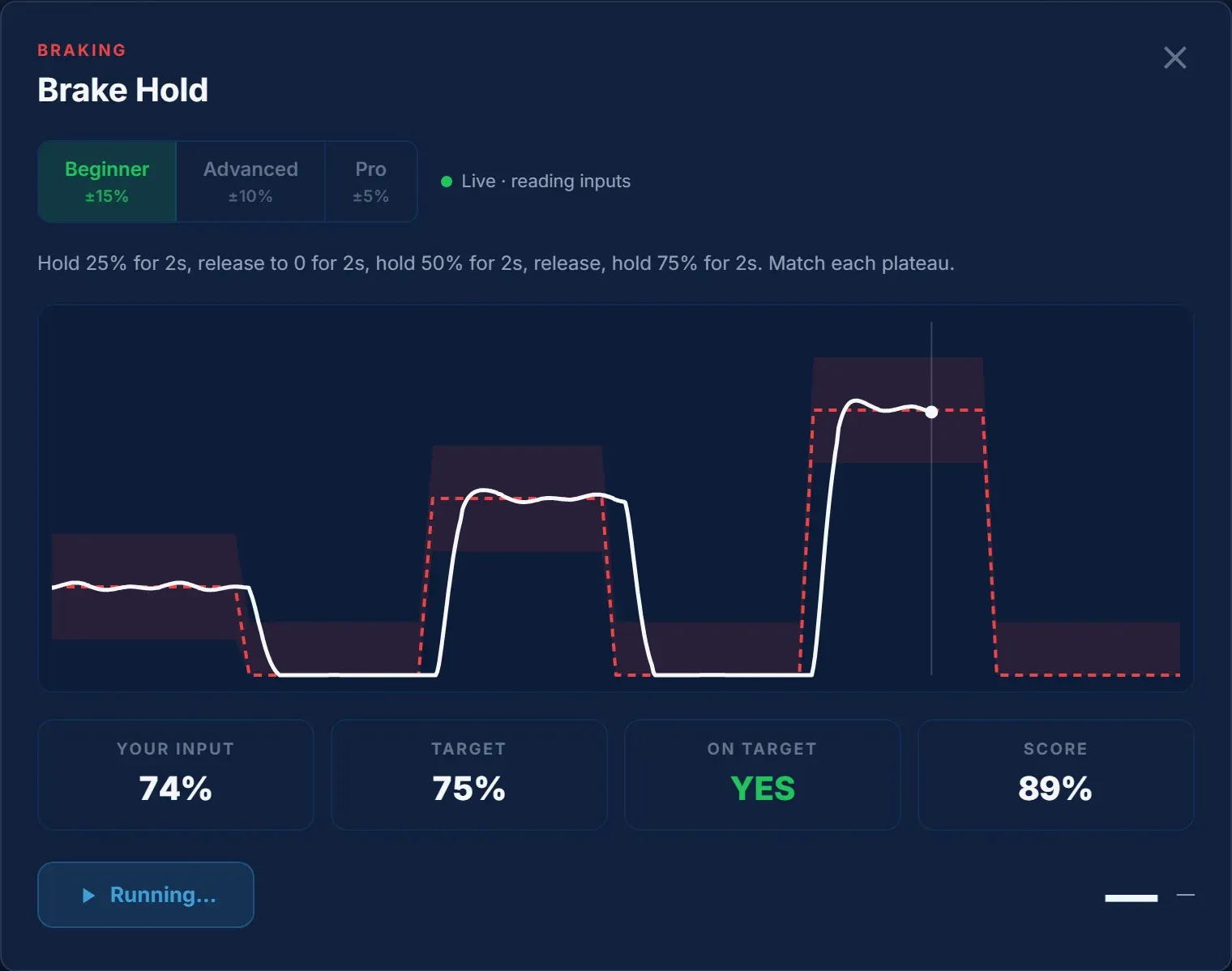
Park the car on track and pick one of 12 drills for braking, throttle or steering. A target line shows what to do with one input, your own trace is drawn over it, and every run is scored at ±15%, ±10% or ±5% tolerance. The Brake Hold drill, for example, asks you to hold 25, 50 and 75% brake pressure for two seconds each. It's the same exercise we recommend in our coaching for learning your pedals, now with a score that tells you if you're actually getting better.
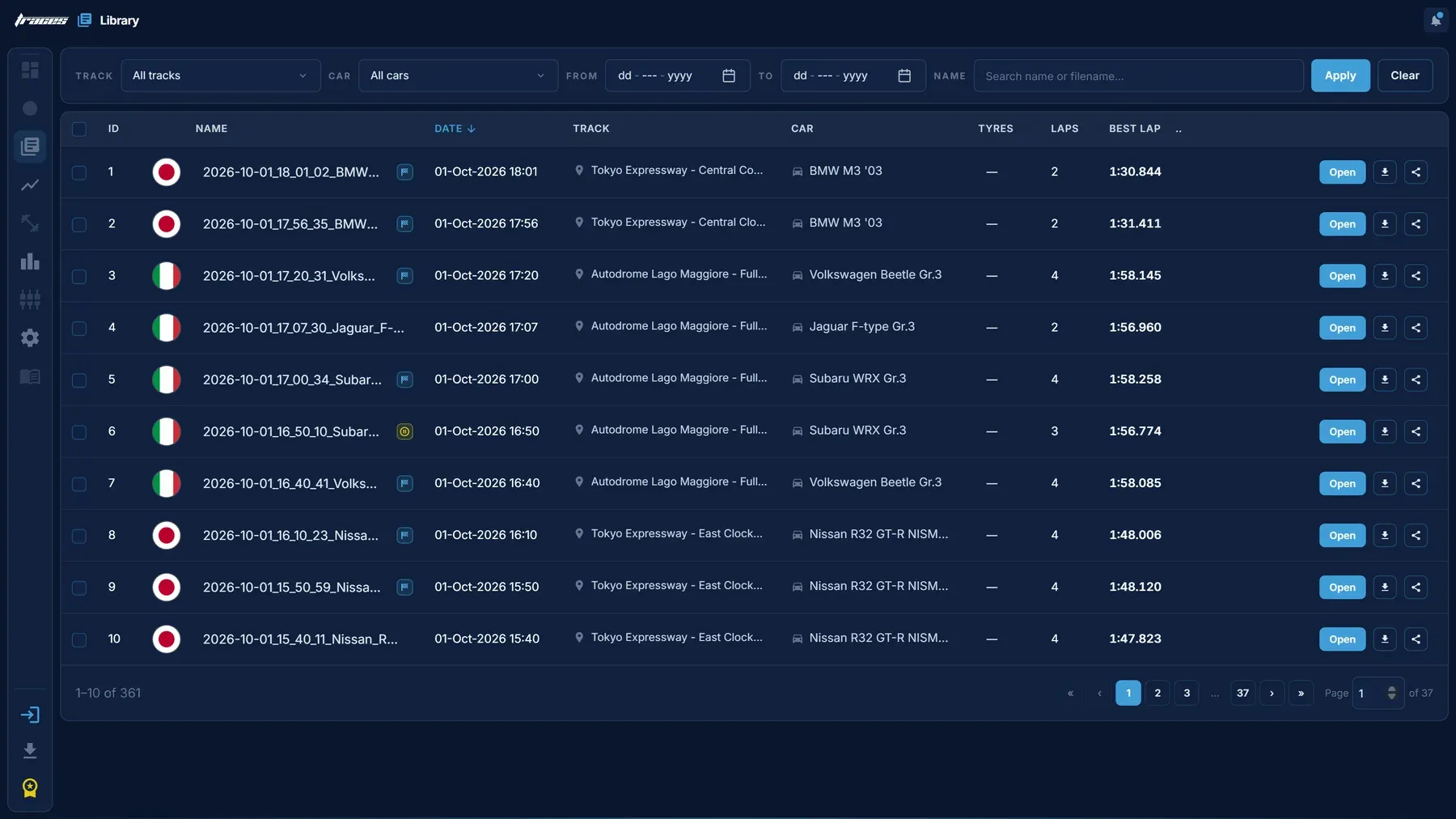
Publish a session and it opens in any browser, on your own profile page. Anyone can see the same lap list, traces and track map you see in the app, with nothing to install. Sessions are public by default and private with one click, and your fastest lap at each circuit is tracked automatically. That makes it easy to share a lap with a friend, a team-mate or a coach.
You need a PC or Mac on the same network as your PlayStation, and that's it. Start GT7, open Traces, and it finds the console by itself. Join a session or a time trial, drive, and the data streams from the moment you cross the line. Lap times, sector splits, delta traces and corner feedback appear as each lap finishes. It works the same on a wheel or a controller.
There's more on the site: a fuel calculator and pit planner, a leaderboard covering Daily Races, Time Trials and the World Series, and a public roadmap where you can vote for what we build next. Traces is part of EDGE Premium, at €4.99 a month or €49.99 a year.
We built Traces because we kept seeing the same thing when coaching: drivers know they're slow but not where, so they practise everything and improve nothing. Traces takes the guessing out. Pick a faster lap, drive, and it shows you the one corner and the one input worth fixing next. If you're chasing gold in this fortnight's Xiaomi Vision GT Time Trial at SUGO, or trying to work out what update 1.72's new default setups did to your Gr.3 car, it's a good place to start.
For transparency, Traces is made by dg-edge.com, so this is our own product.
 10 3
10 3