 0 0


DG EDGE now shows every GT7 BoP update on one chart, the setup the game gives each car in BoP races, a rebuilt statistics page and Traces telemetry on player profiles. Here is what each one does and where to find it.
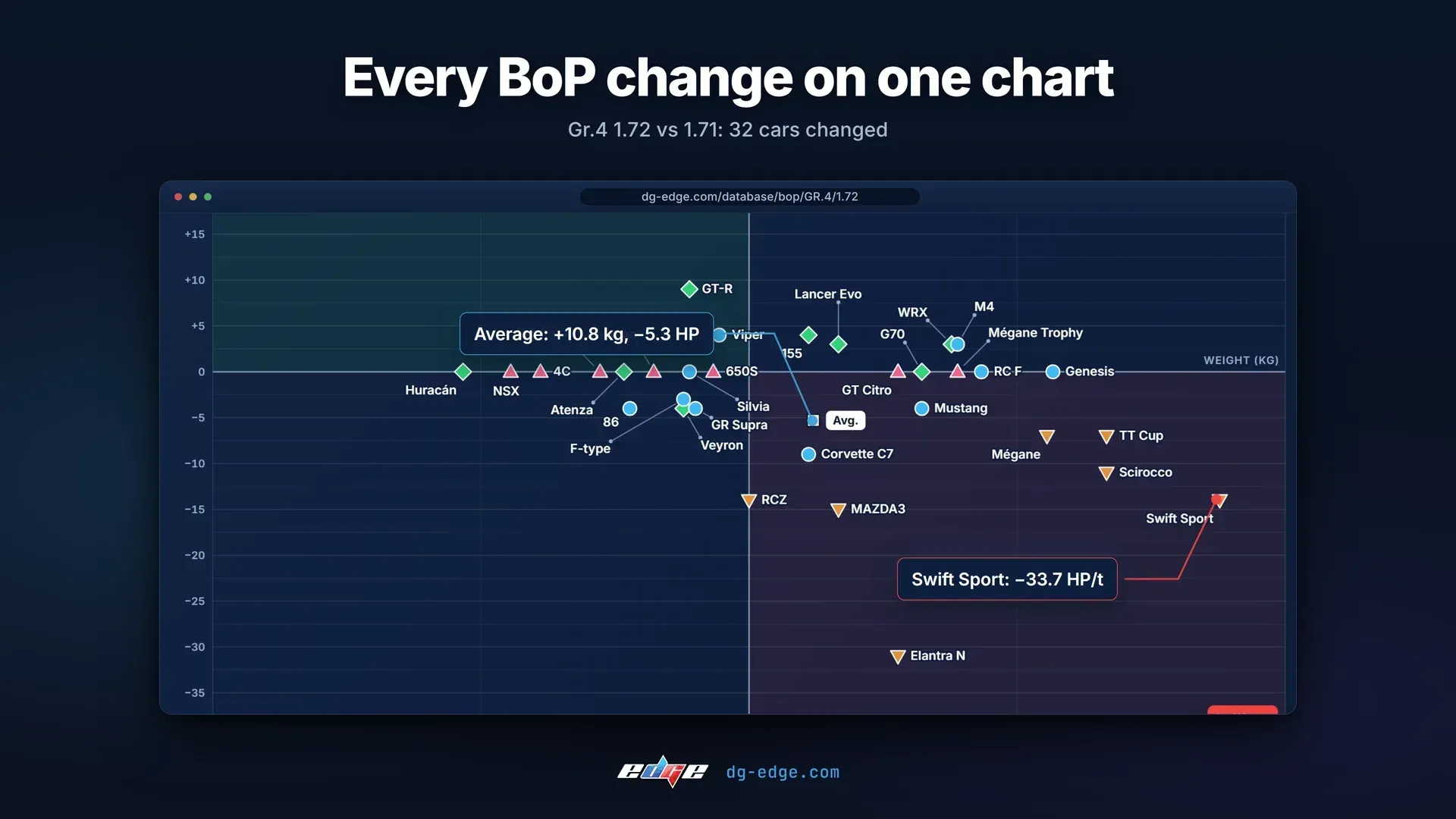
Every Balance of Performance update now has its own page, and the first thing on it is a chart of power against weight. Each car sits where the update moved it, so you can see at a glance whether your car came out of the update better or worse. In Gr.4 BoP 1.72, 32 cars changed power or weight compared with 1.71, on average +10.8 kg and −5.3 HP.
BoP in GT7 is set per track speed, so you can switch the page between high, mid and low speed tracks. You can also switch the chart type, show the changes or the plain values, and read everything in HP, kW or PS and in kg or lb.
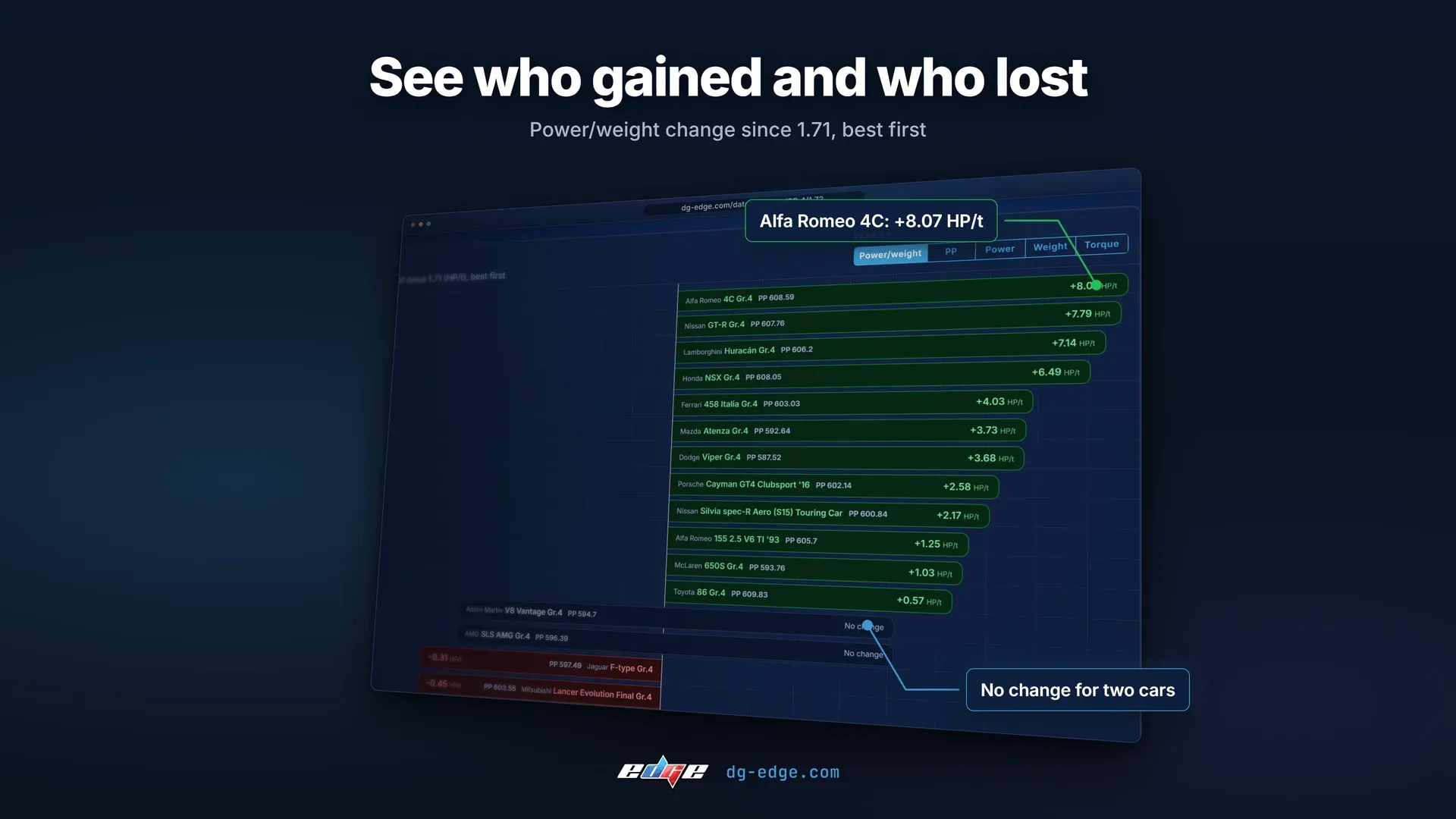
Under the chart, the BoP ranking puts every car in order from the biggest gain to the biggest loss, by power to weight, PP, power, weight or torque. In 1.72 the Alfa Romeo 4C Gr.4 gained the most, +8.07 HP/t, and the Suzuki Swift Sport Gr.4 lost the most, −33.7 HP/t, while two cars didn't change at all.
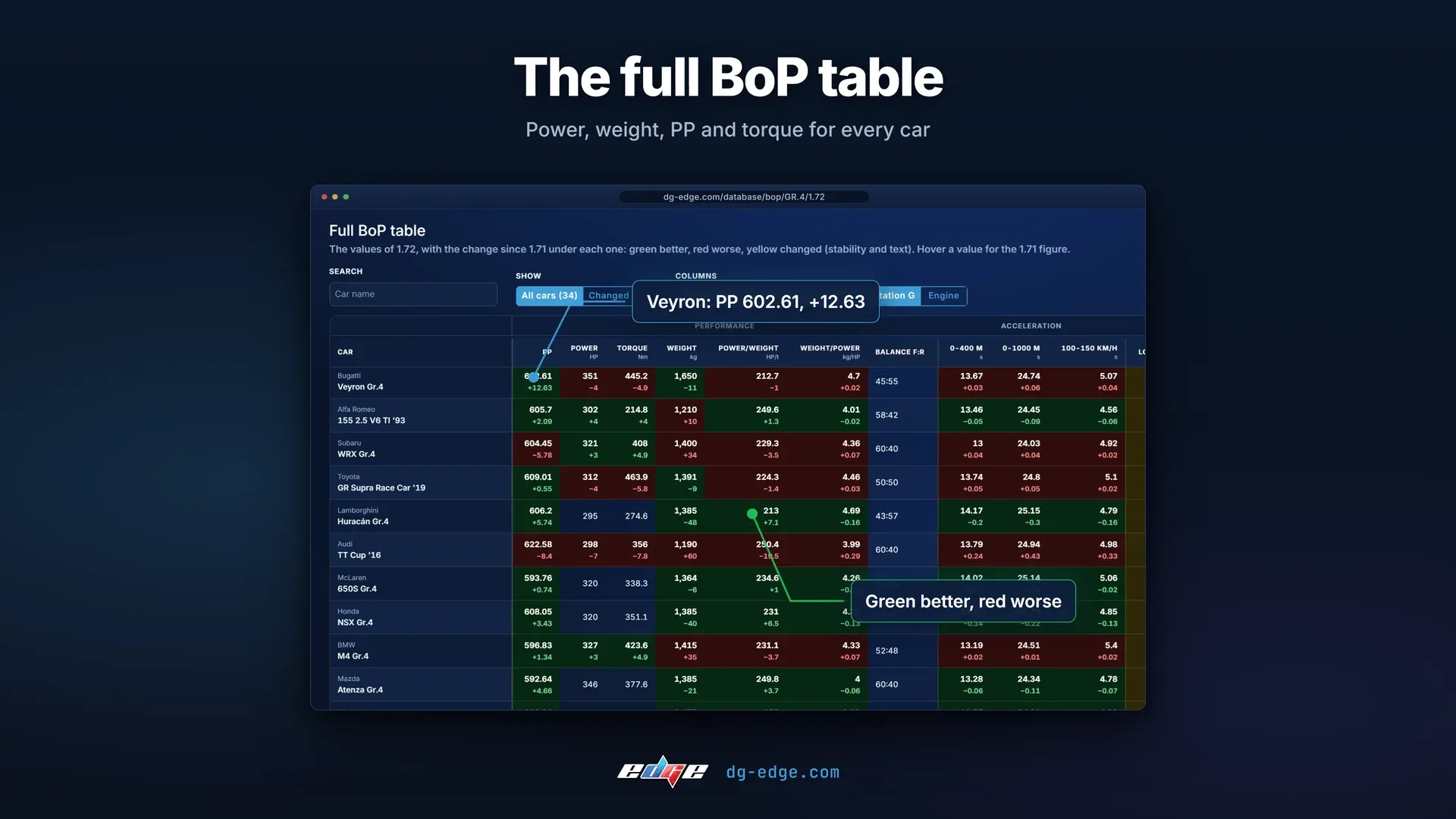
If you want every number, the full BoP table lists power, weight, PP, torque, acceleration and more for every car, with the change since the previous update under each value. Green is better, red is worse and yellow means changed, so the biggest moves stand out straight away. The Bugatti Veyron Gr.4, for example, went up 12.63 PP to 602.61 in 1.72. For everything else that came with the update, our update 1.72 article covers it.
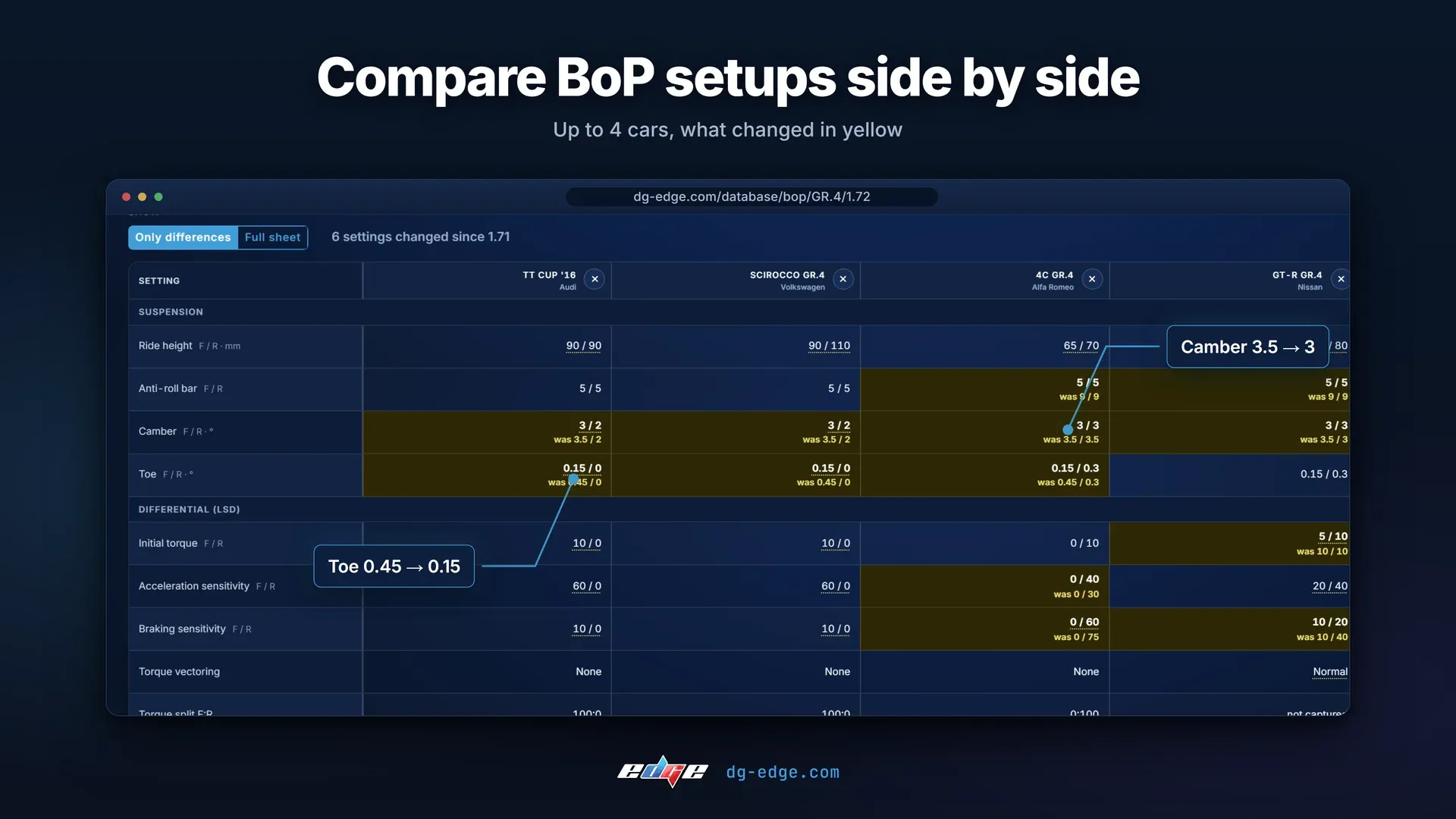
When BoP is on, the game also sets the car's setup for you, and that setup changes with the BoP updates too. You can now see it. Pick up to four cars and compare their BoP setups side by side, with every setting that changed since the last update highlighted in yellow and the old value under it, such as camber going from 3.5 to 3 or toe from 0.45 to 0.15.
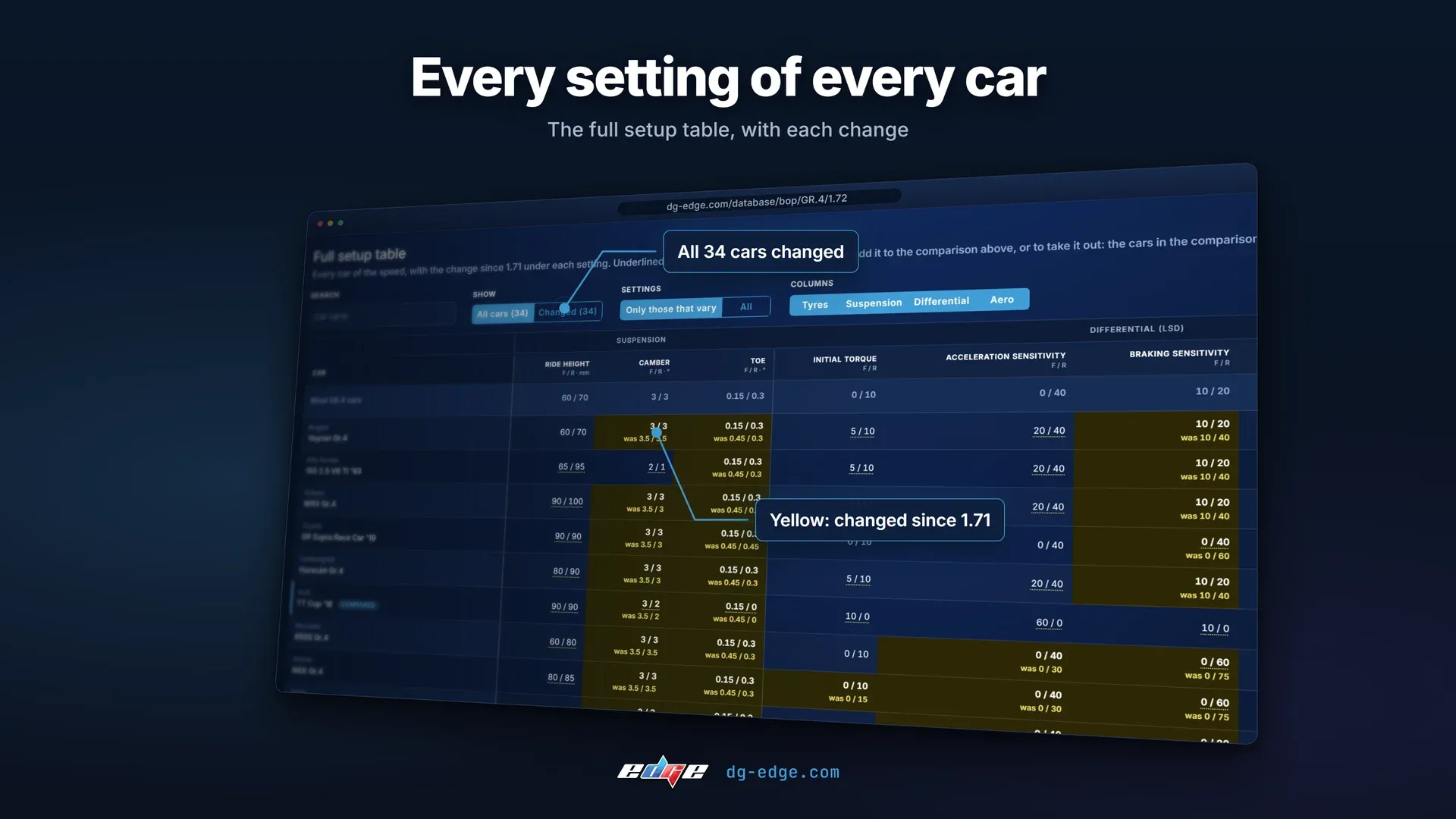
There is also a full setup table with every car and every setting, from suspension and the differential to tyres and aero. In Gr.4 1.72, the setups of all 34 cars changed.
The same information sits on each car's own page. Find the car in our database, open the BoP tab and everything is there: its BoP figures for each track speed, compared with the previous update, and its BoP history, where you can add up to four older updates. The Alfa Romeo 155 2.5 V6 TI '93, for example, gained 4 HP and 10 kg on high speed tracks in 1.72, for 302 HP and 1,210 kg.
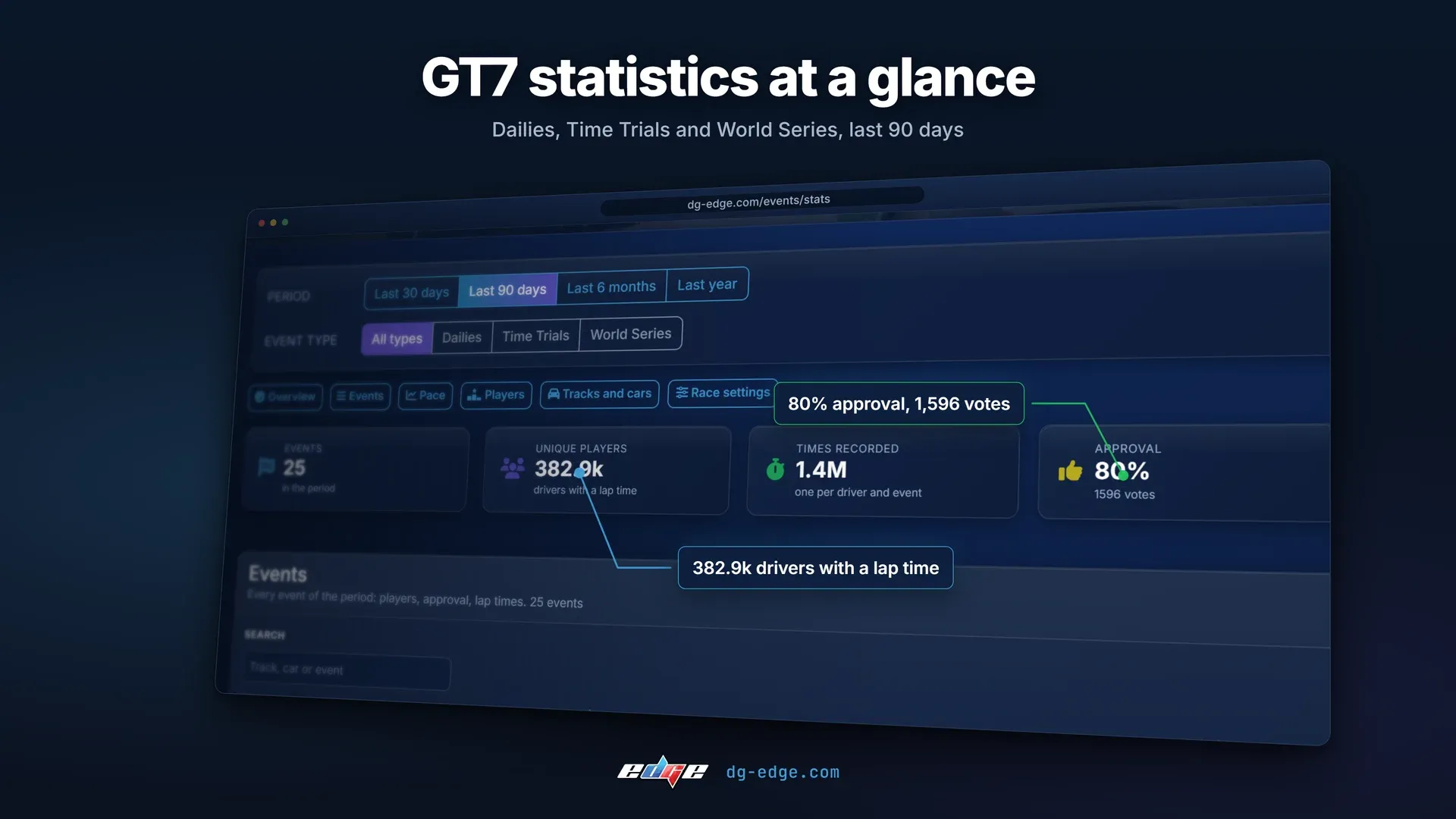
We have rebuilt the statistics page. It loads faster and covers more of what happens in the game across Daily Races, Time Trials and the World Series. Over the last 90 days that is 25 events, 382.9k drivers with a lap time and 1.4M lap times, with an 80% approval rating from 1,596 votes. Suzuka Circuit was the most used track and Gr.3 the most raced group.
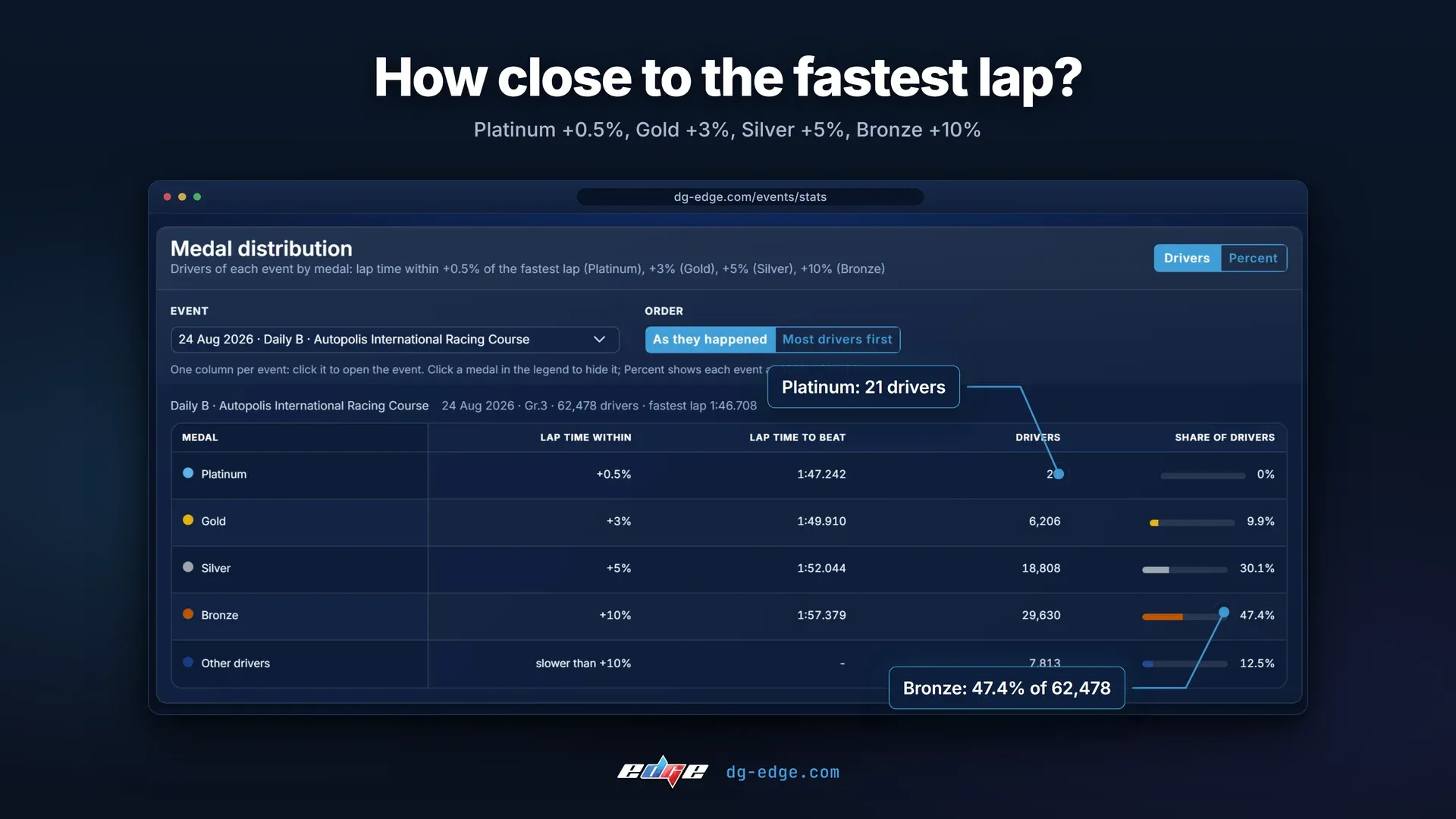
The page also shows the history of every event: how competitive it was, how many players took part week by week, what players thought of it, and the medal distribution, where Platinum means within +0.5% of the fastest lap, Gold +3%, Silver +5% and Bronze +10%.
In Daily B at Autopolis on 24 August, 62,478 drivers set a lap time and only 21 of them got within half a percent of the fastest lap.
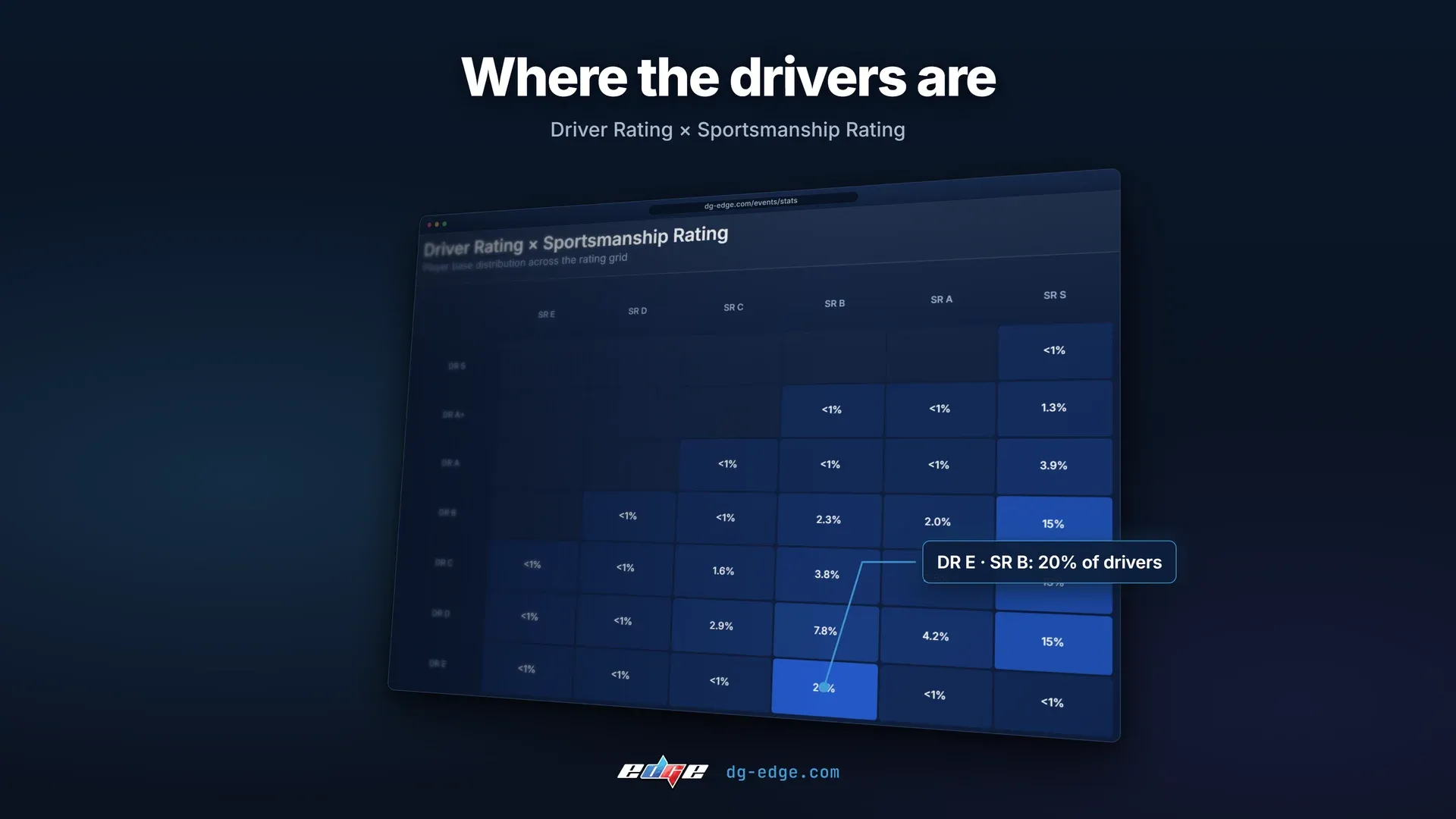
There are also track records over time, player nationalities and the Driver Rating × Sportsmanship Rating grid, which shows where the player base sits. The biggest single group is DR E with SR B, at 20% of drivers. If you follow the World Series Manufacturers Cup, its rounds are in there as well.
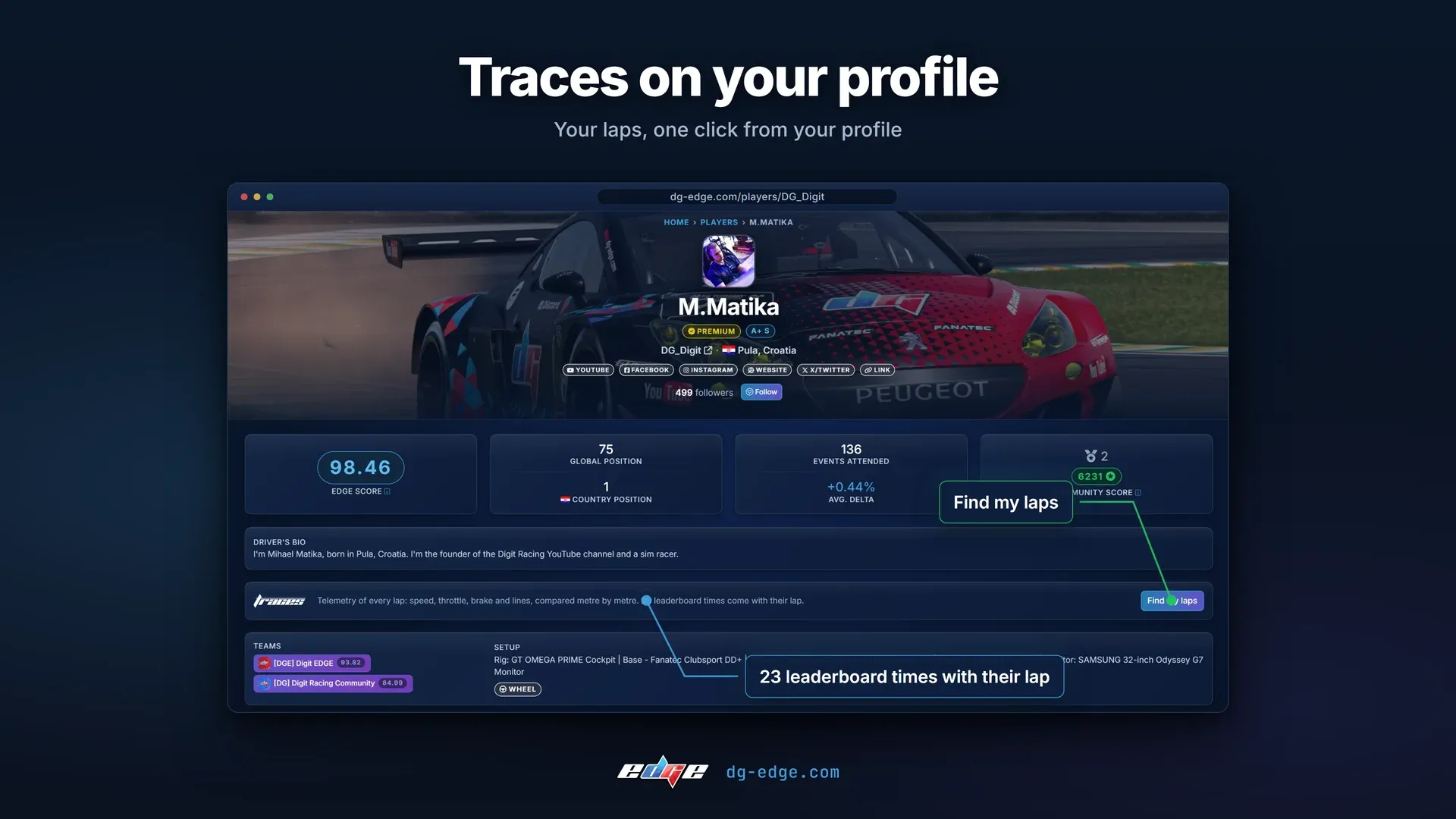
Traces is the GT7 telemetry app we built to show you exactly where you lose time. If you have claimed your DG EDGE account and use Traces, your profile now shows it, either as a small "Telemetry on Traces" badge or as a bigger section with a "Find my laps" button. You choose which in your profile settings.
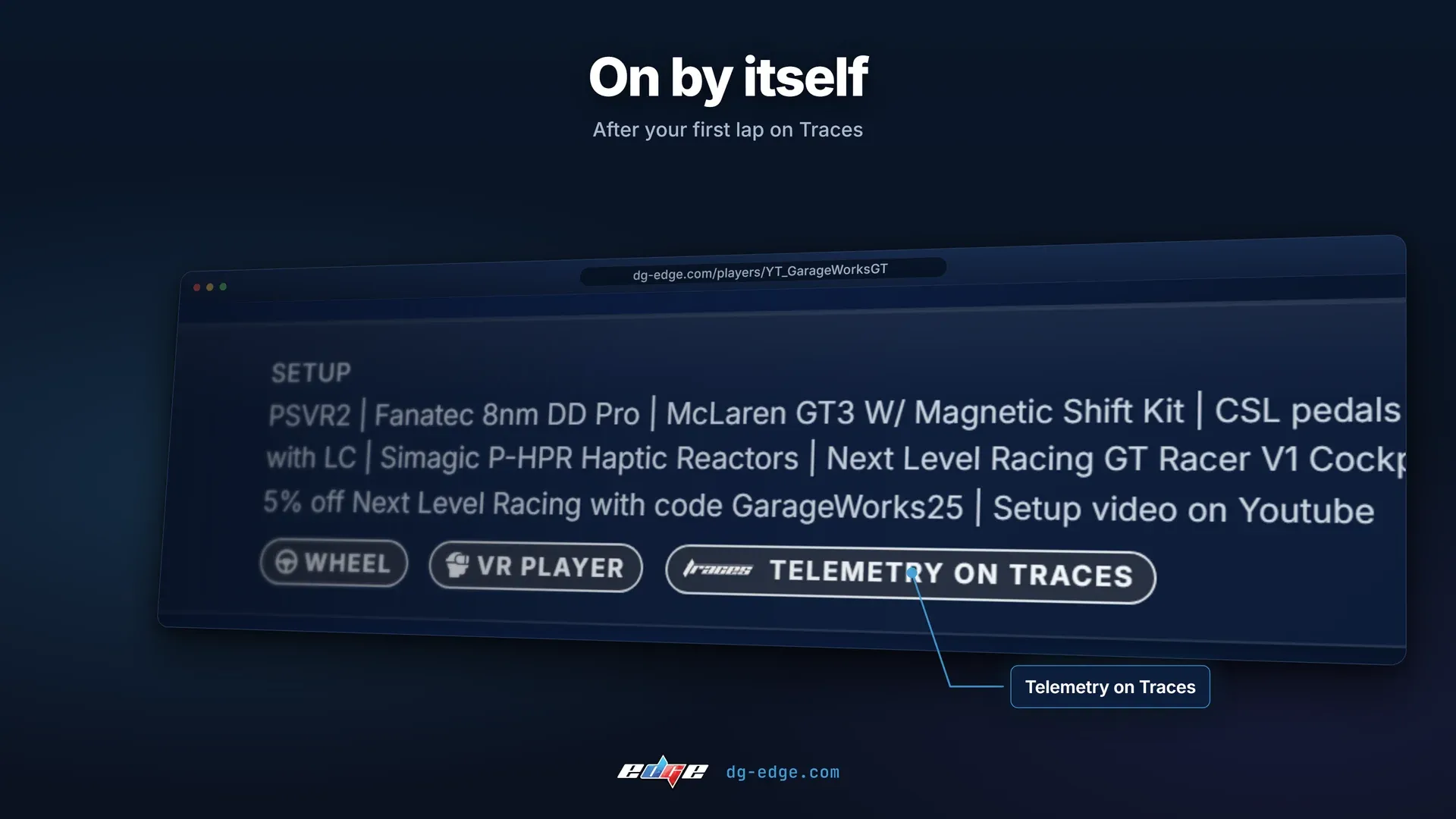
It turns on by itself after your first lap on Traces, and your times on the leaderboards get the Traces logo, so anyone can open the telemetry of that lap with one click.
The BoP pages are the ones we would open first. BoP updates usually come with long lists of numbers, and seeing every car on one chart, in a ranking and with its setup makes it much easier to tell whether your car really got better or worse. The statistics page and the Traces profiles are there for anyone who wants to dig into the data a little further.
Let us know what you think, and what you would like us to add next.
0 0