🏎️
 72 25V

Every forum post as it lands. Reply without leaving the page.
 72 25V
 29 20

 23 13
 8 5
I followed the instructions you provided, but this is what happens—I’m unable to save or download anything. It just gets completely stuck. Even after pressing the save button, the only options available are to delete or cancel.

The Elantra cup was better
Is traces a coaching app? Or a visual guide for replays?
i just can't download yet.
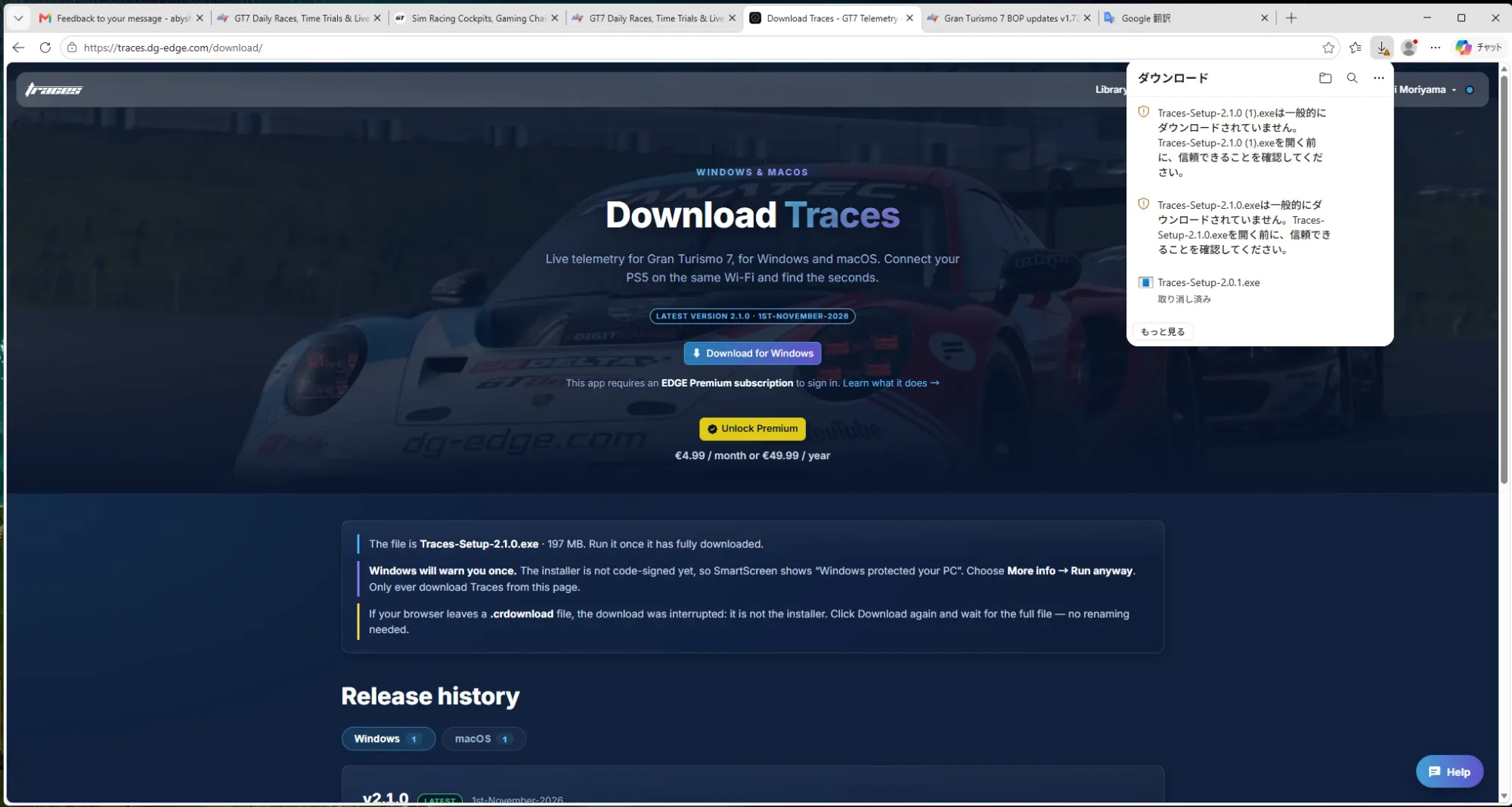
Hi! Thanks for trying Traces. The Windows installer isn’t code-signed yet, so Windows and some browsers are cautious with it. Here’s how to get it running:
Check the browser’s downloads list (Ctrl+J). Chrome or Edge may have held the file back with a message like “isn’t commonly downloaded” or “couldn’t be verified”. Click the three dots next to it and choose Keep, then Keep anyway.
Make sure the whole file arrived. The installer is called Traces-Setup-2.0.1.exe and is about 195 MB. If you only see a file ending in .crdownload, the download was cut off and that file isn’t the installer. Download it again from traces.dg-edge.com/download and wait for it to finish. No renaming needed.
When you open it, Windows may show a blue “Windows protected your PC” window. Click More info, then Run anyway.
If the file disappears after downloading, your antivirus may have quarantined it. Check its quarantine or protection history, restore the file, and allow it.
Traces runs on Windows and macOS. If you’re on a Mac, download the macOS version from the same page instead of the .exe.
If it still won’t work, send me a screenshot of what you see and I’ll help you from there.
-----------------------
Hi! I tried to download the .exe file to install Trace, but my computer won't accept it—it doesn't even seem to recognize the file after the download. What should I do?
Please describe the problem and, if possible, include screenshots or steps to reproduce it.
🏆 Dragon Trail Seaside RC-F Challenge by GT Omega | Winners Announcement!
The competition has officially come to an end, and it's time to announce our winners!
🎉 Congratulations to:
🥇 1× Yearly DG EDGE Subscription: Chartreux_04
🎓 1× Online Course Access: DG_L-II-Z-Z-R-D
👕 1× EDGE Merch Mystery Pack, including a brand-new T-shirt and socks: PaulPCpaul999
The yearly subscription and online course access have already been added to the winners' accounts, while we'll be arranging the delivery of the merch pack separately.
Stay tuned, as more competitions and prizes are coming soon!
PS Sorry for the delay.

Hi @HD_Rider I answered you under the other post, we should have fixed the issue